Did you know you can enter your own power outage in SmartHub? If power is out to the extent it has also taken out phone lines or is limiting your cell signal, you can enter it in the SmartHub app on your cell phone or mobile device.
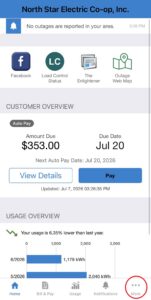
First, log into SmartHub. From the home screen, click on “More” in the bottom right corner.
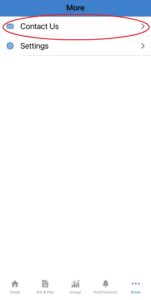
From the next screen, select “Contact Us.”
On the next screen, select “Report Power Outage.” If you have more than one account, please select the account location that is experiencing the power outage.
The last screen will provide the terms and conditions for submitting your outage into our outage management system. Please read thoroughly and click the blue “Accept” button to report your outage!
Cookies To make this site work properly, we sometimes place small data files called cookies on your device. Most big websites do this too.